
Last updated: September 26, 2026
How to Play Pictionary Online: One Turn, Step by Step
Instead of describing the rules in the abstract, this guide follows one real turn from an empty room to the score on the board.
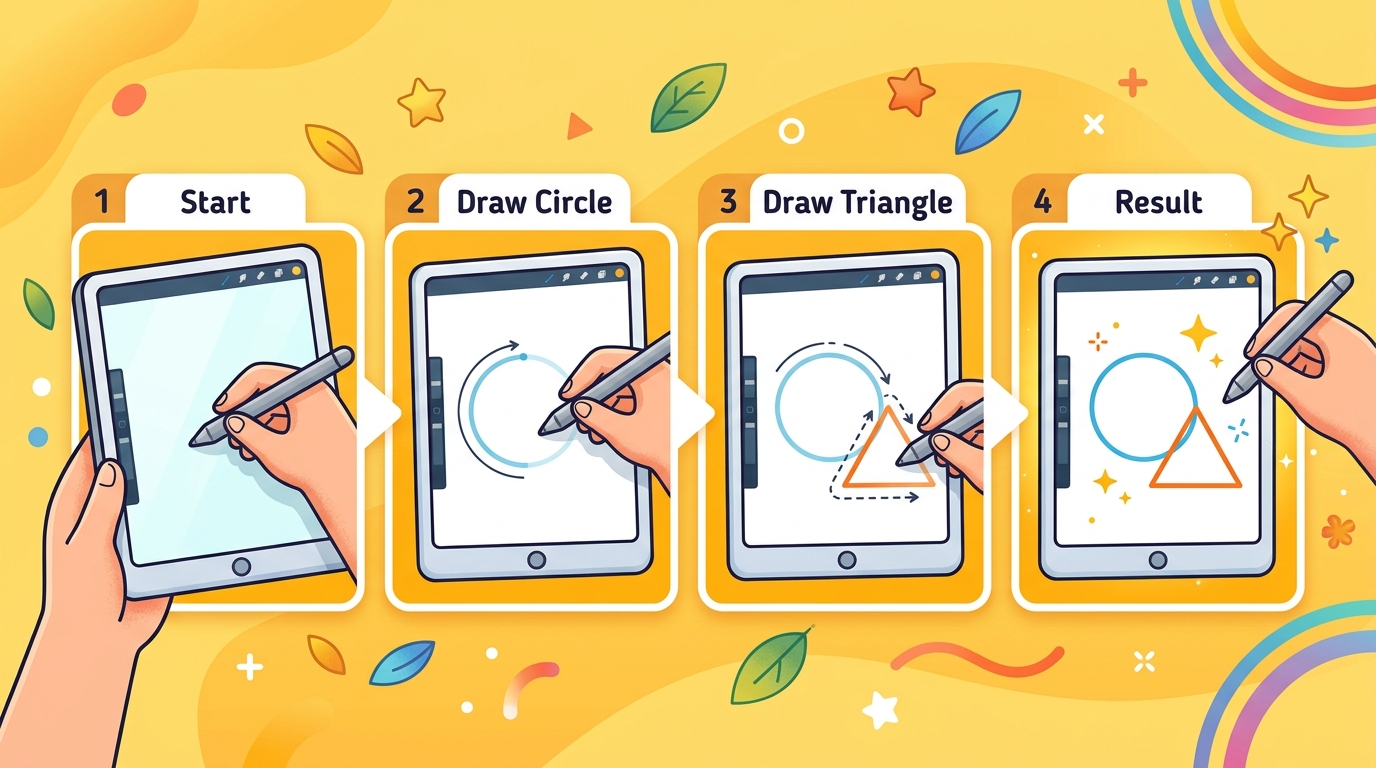
The question this page answers is simple: what actually happens, click by click, when you play a drawing game in the browser? To show it, we opened a private room on the live site with two test players — one on a laptop, one on a phone-sized screen — and played two turns. Every screenshot below comes from that session, and every number (timers, points) comes from the same settings the game server uses.
If you only want the rule list, the How to play page has it. This guide is for the first time you host, when you want to know what your friends will see.
At a glance
- Players: 2–8 per room.
- One turn: up to 15s to pick a word, up to 80s to draw, 8s of results — at most about 1.7 minutes.
- A round: everyone draws once. Public rooms pick the number of rounds from the player count; private rooms let the host choose.
- Points: 100 for a correct guess plus up to 100 for speed; the drawer gets 40 per correct guesser.
- Needed: a browser and a nickname. No account, no app.
Step 1 — Create the room
On the home page, press Create room. You then choose between a public room (strangers can find it through Quick join) and a private one (only people with your link). For a group of friends, pick private. The setup panel appears:
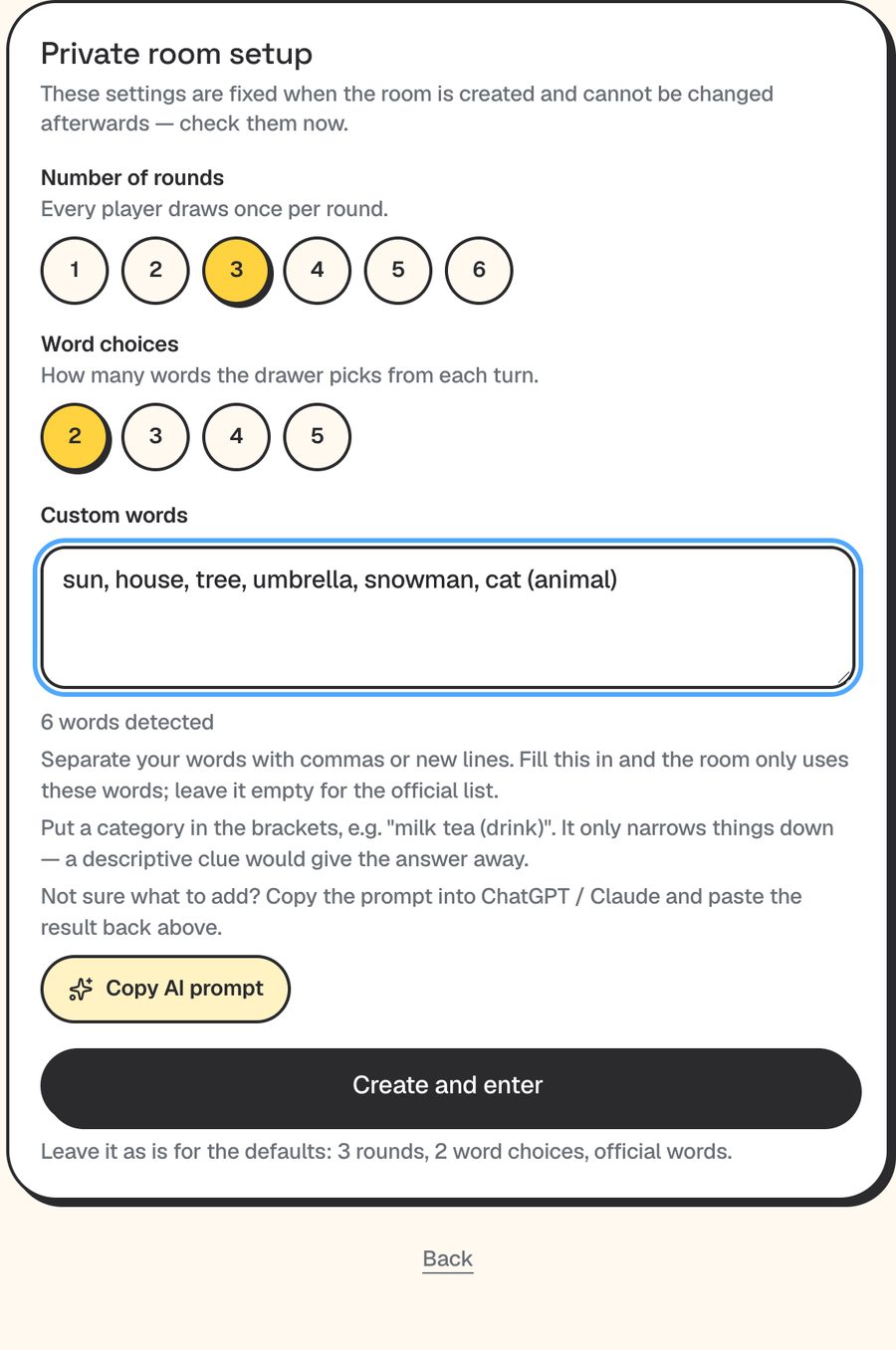
The panel says it plainly, and it is worth repeating: these settings cannot be changed once the room exists. If you want four rounds instead of three, set it now. Leaving everything untouched gives you 3 rounds, 2 word choices and the official word list. For this walkthrough we typed six simple words into the custom list so we would know what could come up.
Step 2 — Get people in
After Create and enter you type your own nickname and land in the waiting room. The big blue text is the 6-character room code; the button under it copies a link you can paste into any chat app.
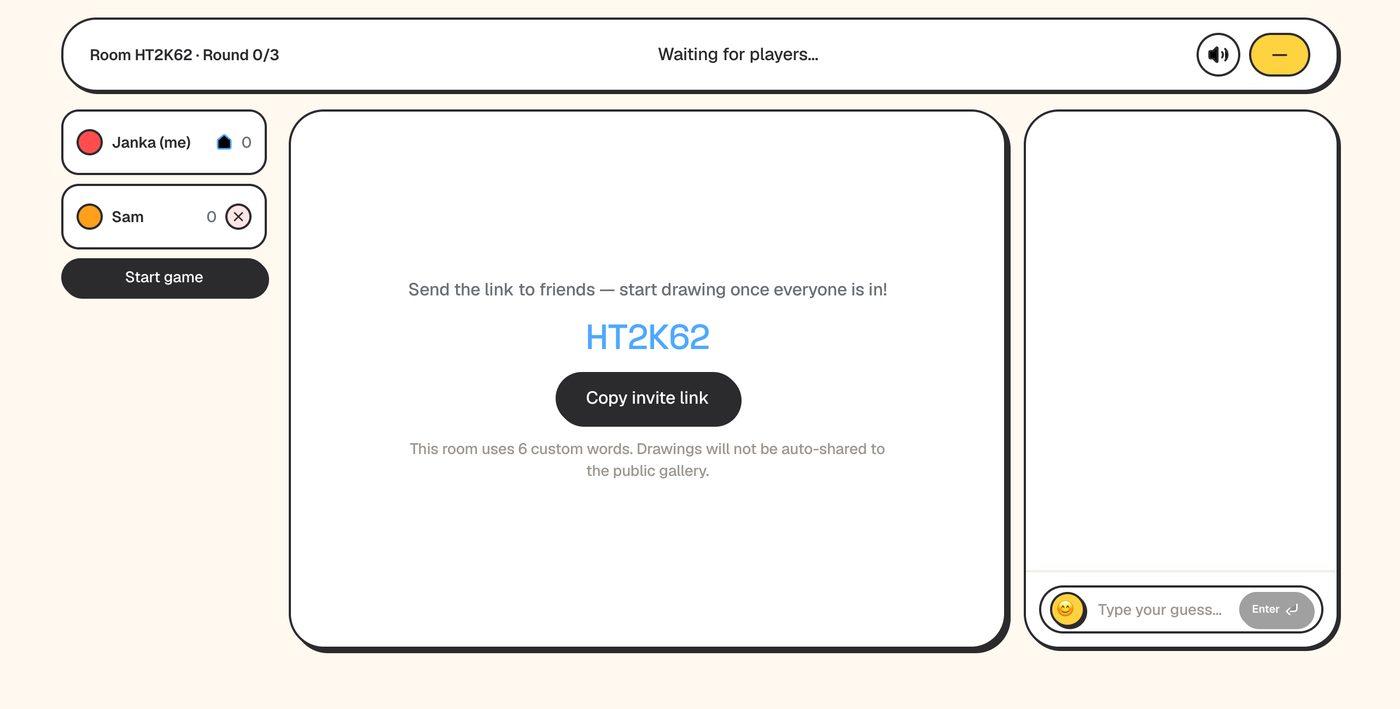
Whoever opens the link sees a single box: a nickname field and Enter room. That is the whole onboarding, which is why this works for relatives who do not install things.
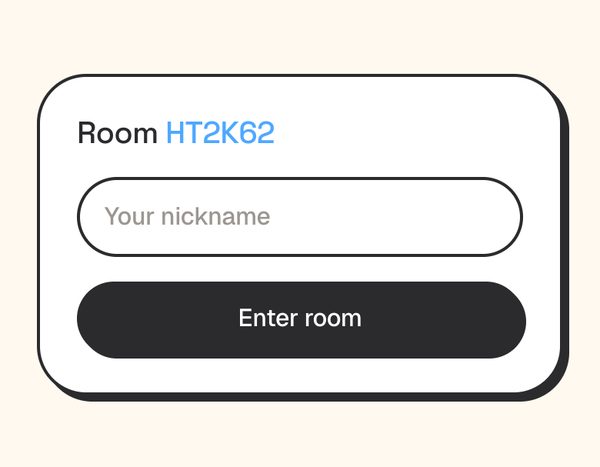
The host is the first person in the room. You need at least 2 players before Start game does anything. People can also join after the game has started — they see the current drawing and are added to the end of the drawing order.
Step 3 — The drawer picks a word
When the game starts, the first player in the order becomes the drawer and gets a choice of words (2 by default, up to 5 in a private room). Everyone else sees “Drawer is picking a word…”. There are 15 seconds to decide; if the drawer does nothing, the first word is chosen for them.
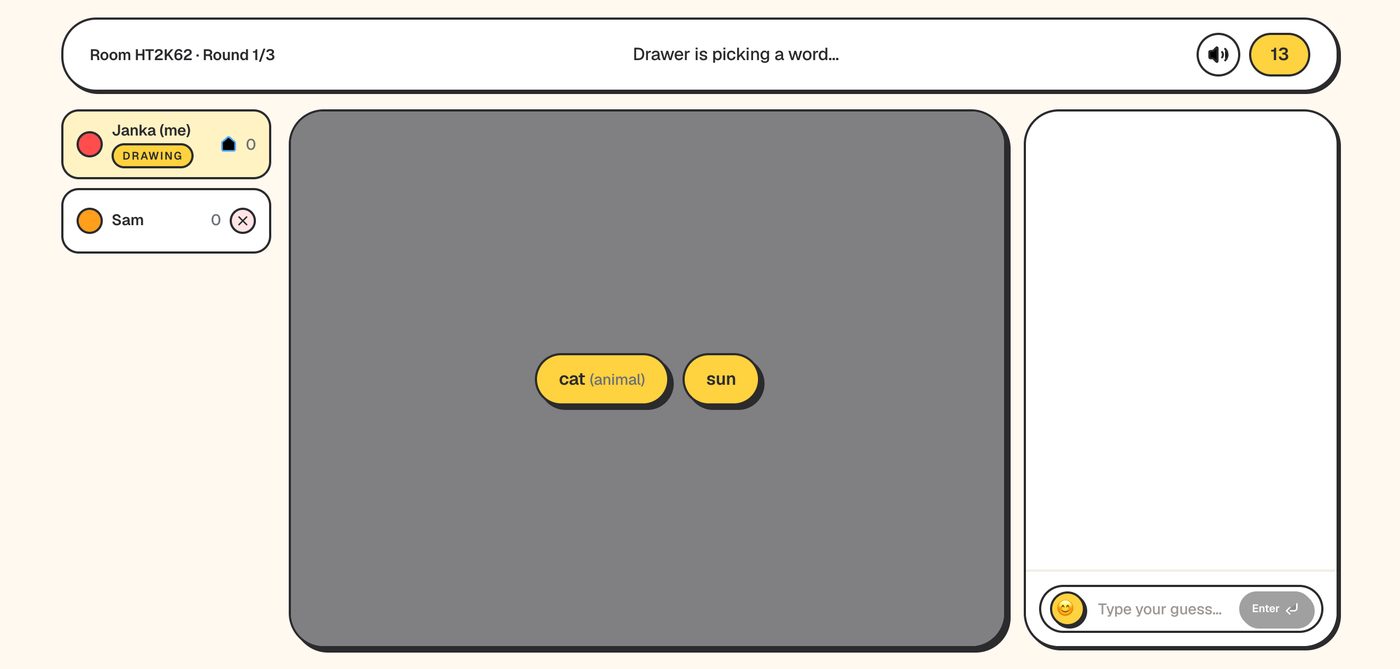
Picking well matters more than people expect. A word you can reduce to one recognisable outline (a cat's ears and whiskers) beats a word that needs a scene. You have 15 seconds, so spend two of them asking “what is the one shape everyone knows?”
Step 4 — Draw, while everyone else guesses
The drawer sees the word at the top and a toolbar under the canvas: brush, eraser, fill, colors, undo and clear. The clock in the corner counts down from 80. Letters, numbers and saying the answer are against the rules — other players can report a drawing, and if enough of them do, the turn is cancelled.
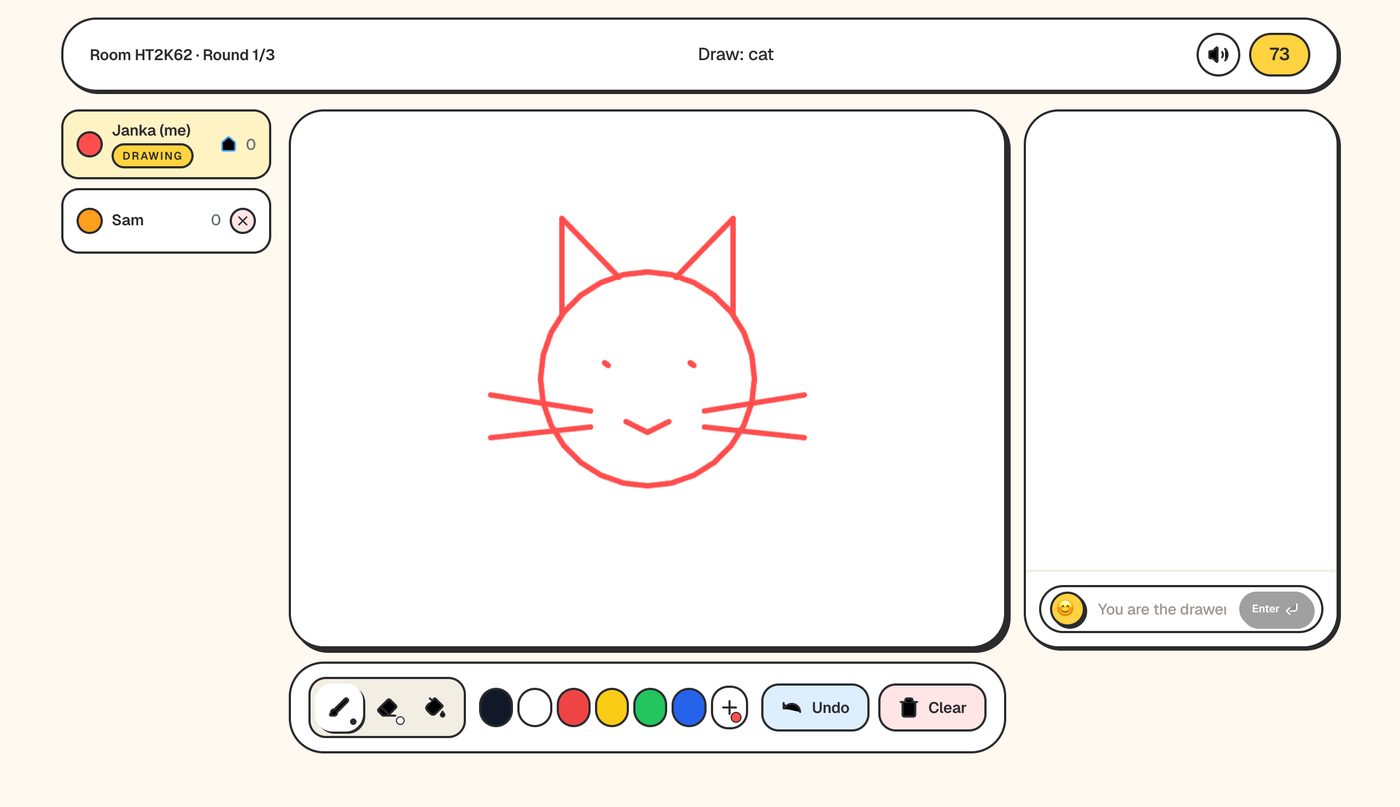
On the other device, the same strokes appear as they are drawn. The guesser does not see the word, only its category (or the host's hint) and one blank per letter:
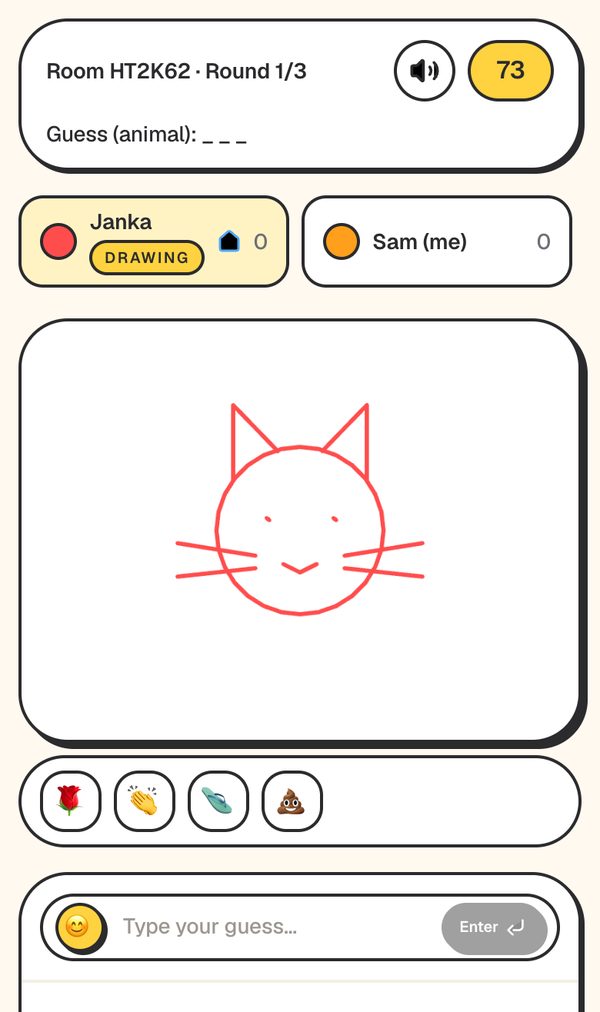
If the drawer has not drawn anything 20 seconds into the turn, the game skips to the next person. That rule exists so one distracted player does not stall the room.
Step 5 — Guesses, and how the points are worked out
Guessers type into the box and press Enter. Wrong guesses show up in the chat and cost nothing. A correct guess is not shown — everyone just sees that the player got it — so the others can keep trying.
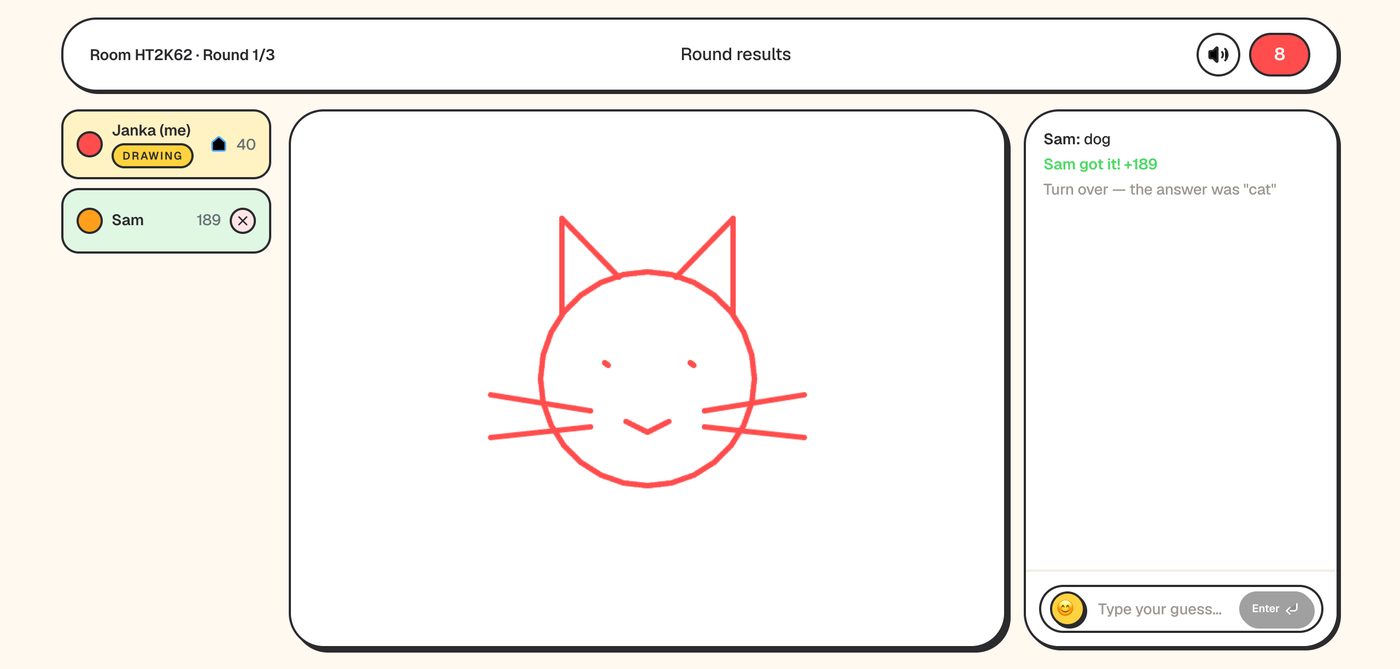
The score in that screenshot is a good worked example of the formula:
- A correct guess is worth 100 points plus a speed bonus of up to 100, in proportion to the drawing time left.
- Our guesser answered with roughly 71 of the 80 seconds remaining: 100 + 100 × 71/80 ≈ 189.
- The drawer received 40 points because one person guessed. With five guessers who all get it, that would be 200.
The practical lesson: guessing early and often is worth far more than waiting to be sure, and a drawer scores by being clear, not by being artistic. The turn ends as soon as every connected guesser has it, or when time runs out. The answer and points then stay on screen for 8 seconds before the next player picks a word.
When something goes wrong
- Someone's Wi-Fi drops. If they keep the page open, it reconnects on its own and they keep their score. Closing or reloading the page brings them back as a new player.
- The drawer disconnects. Their turn ends immediately and the next person draws.
- The host leaves. The next connected player becomes host automatically.
- Everyone leaves. The room is kept for 2 minutes in case people come back, then deleted — the link stops working after that.
- A stranger idles in a public room. After 3 turns without any action they are removed. Private rooms never remove anyone automatically; the host can remove players with the × next to their name.
Mistakes first-time hosts make
- Sharing their screen on the call. The drawer's screen shows the word. Share the link instead and let everyone play on their own device.
- Picking too many rounds. A round is one turn per player. Eight players × 3 rounds is 24 turns — up to about 40 minutes.
- Waiting to be sure before guessing. Speed is half the points, and wrong guesses are free.
- Forgetting settings are fixed. Rounds, word choices and the custom list are locked when the room is created.
What the game does not do (yet)
There are no accounts, so there are no friend lists, saved profiles or bans — the leaderboard groups scores by nickname. Letters are never revealed as hints, so the drawing is the only real clue. And custom word lists are exact-match only: if the host types “sofa”, “couch” will not count.
That is the entire loop. After the last round the highest total wins, and the host can start a rematch from the results screen.