
Last updated: September 26, 2026
Drawing Games for Teams and Classrooms: A Facilitator’s Plan
Everything the person running the session needs: how to split people into rooms, how long it will take, what to say at the start, and what to watch out for.

A drawing game works as an icebreaker because nobody is good at it and everyone can see that nobody is good at it. It needs no preparation from participants and no install. What it does need is a facilitator who has thought about room sizes and time, because a game that runs over the meeting slot stops being fun quickly.
1. Decide on room sizes
A room holds at most 8 players. For a larger group, create several private rooms and send each sub-group its own link. Five or six per room is comfortable: everyone draws often, and the chat is still readable.
Use private rooms for work and school. Public rooms can be joined by strangers through Quick join; private rooms only by people with the link.
2. Fit it into the time slot
A turn is at most 15s to choose + 80s to draw + 8s of results. In a round everyone draws once. The table shows the maximum length — turns end early when everyone has guessed, so real sessions are usually shorter.
| Players in the room | Rounds | Turns | Up to |
|---|---|---|---|
| 4 | 2 | 8 | 14 min |
| 4 | 3 | 12 | 21 min |
| 6 | 2 | 12 | 21 min |
| 6 | 3 | 18 | 31 min |
| 8 | 1 | 8 | 14 min |
| 8 | 2 | 16 | 27 min |
Rounds can be set from 1 to 6 when you create the room, and cannot be changed afterwards. For a 30-minute slot with six people, two rounds leaves time to explain and to chat at the end.
3. Prepare a word list (optional)
The official list is general and safe for work. A custom list makes it personal — team tools, the office kitchen, this week's lesson vocabulary. See the custom word list guide for the rules; the important ones for a facilitator:
- Answers must match your spelling exactly, so write words the way people will type them.
- You need at least players × rounds words; two or three times that is better.
- Leave out colleagues' or students' names unless everyone has agreed — being drawn is not fun for everyone.
4. What to say before you start (two minutes)
- “Open the link on your own device, type a first name or nickname, and press Enter room.”
- “When it's your turn you get 15 seconds to pick a word and up to 80 to draw it. No letters or numbers.”
- “Everyone else types guesses. Wrong guesses are free, so guess a lot.”
- “If you really don't want to draw, you can leave your turn blank — after 20 seconds it skips to the next person.”
The last point is worth saying out loud. It lets the people who dread this sort of thing take part by guessing, without having to make an excuse.
5. Don’t share the drawer’s screen
On a video call it is tempting to screen-share the game. Do not share the screen of whoever is drawing: the word is printed at the top of their view.
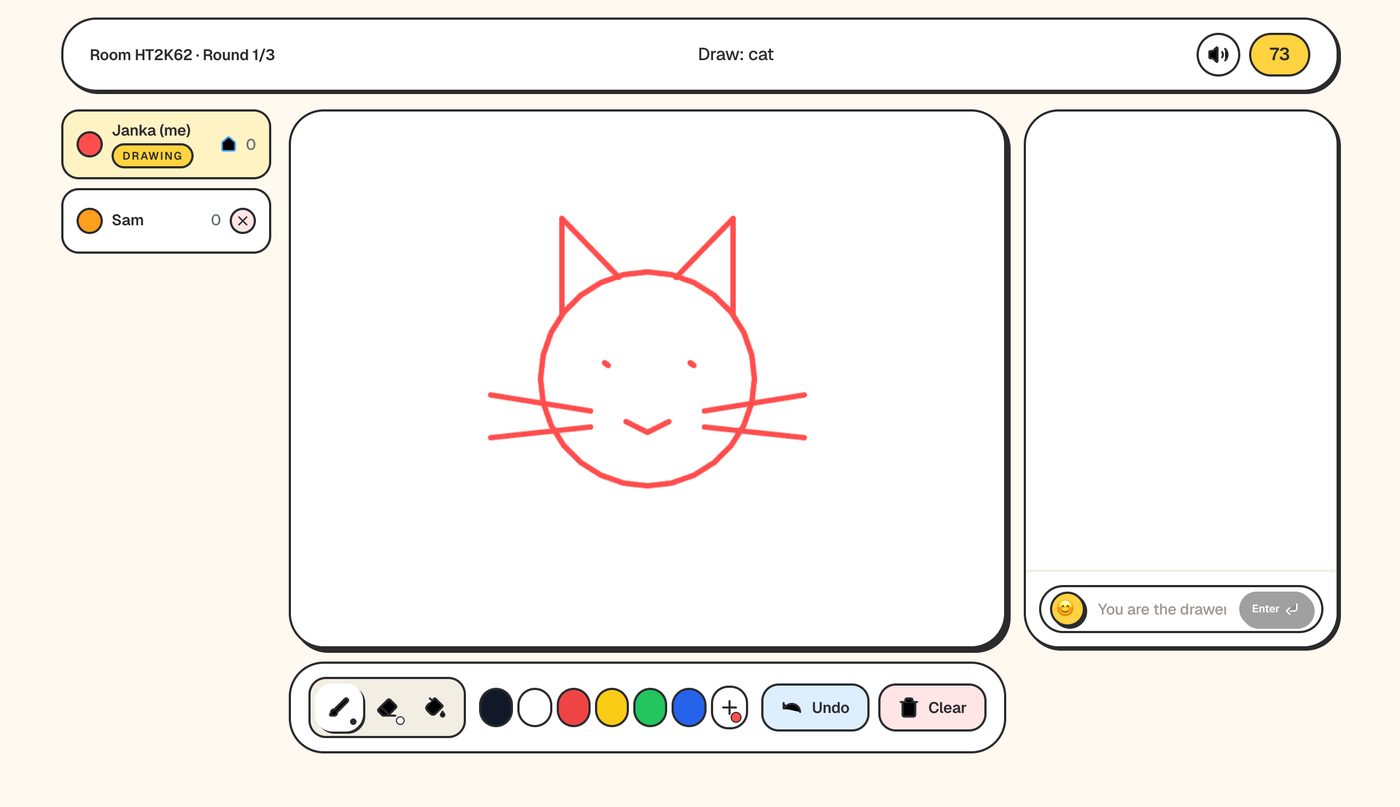
The simplest setup is the video call in one window and the game in another. People who only have one screen can use their phone for the game — see the phone guide.
6. Classrooms: points for teachers
- Age. The site is not aimed at children under 13; younger pupils should play with the teacher running and supervising the room.
- Nicknames are public. Scores from finished games, including private rooms, go on the public leaderboard under the nickname used. Ask pupils to use a first name or an alias, never a full name.
- You are the moderator. The host can remove a player at any time in a private room (the × next to their name). Common offensive words are masked automatically, but the filter will not catch everything.
- Nothing goes public. Drawings from private rooms are never shared to the public Gallery.
7. Ending well
The results screen can produce a single image with the final ranking and every drawing from the game — a good thing to drop into the team chat afterwards. Stop while people still want another round; starting a second short game beats dragging one out.
Limitations
- Rooms are separate; there is no combined score across several rooms.
- Settings and the word list are fixed once a room is created — prepare them before the session.
- Custom-word answers are exact-match only, which can frustrate players typing synonyms.